Creating a Collection
Step-by-step instructions for establishing a new collection in KapuLetu.
BeginnerTreasurer
Collections are optional folders for your groups. A group doesn't need to be in one, so you only need collections when you want to keep different communities apart.
1
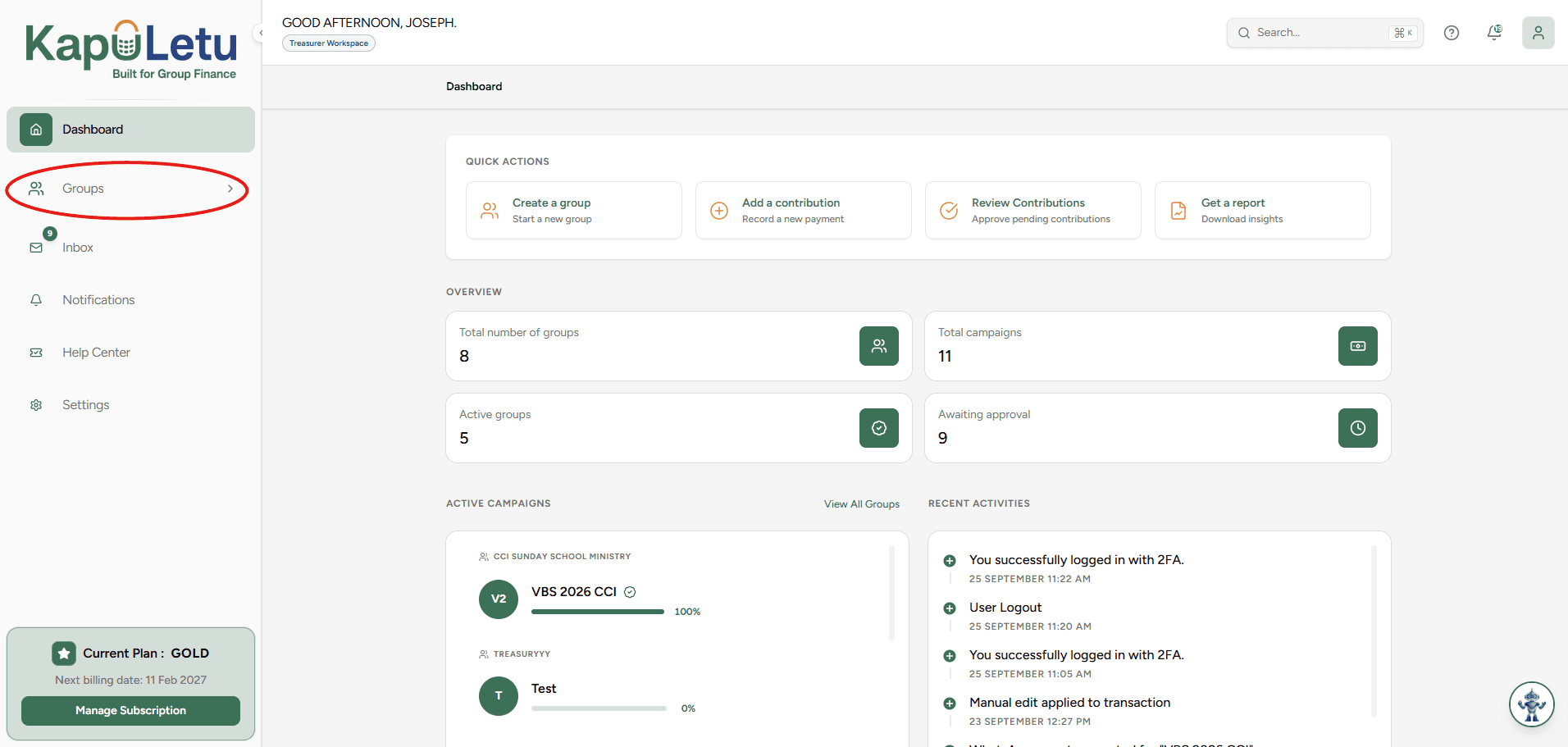
Open the Collections Tab
Open the Groups page from the sidebar and click the 'Collections' button.
2
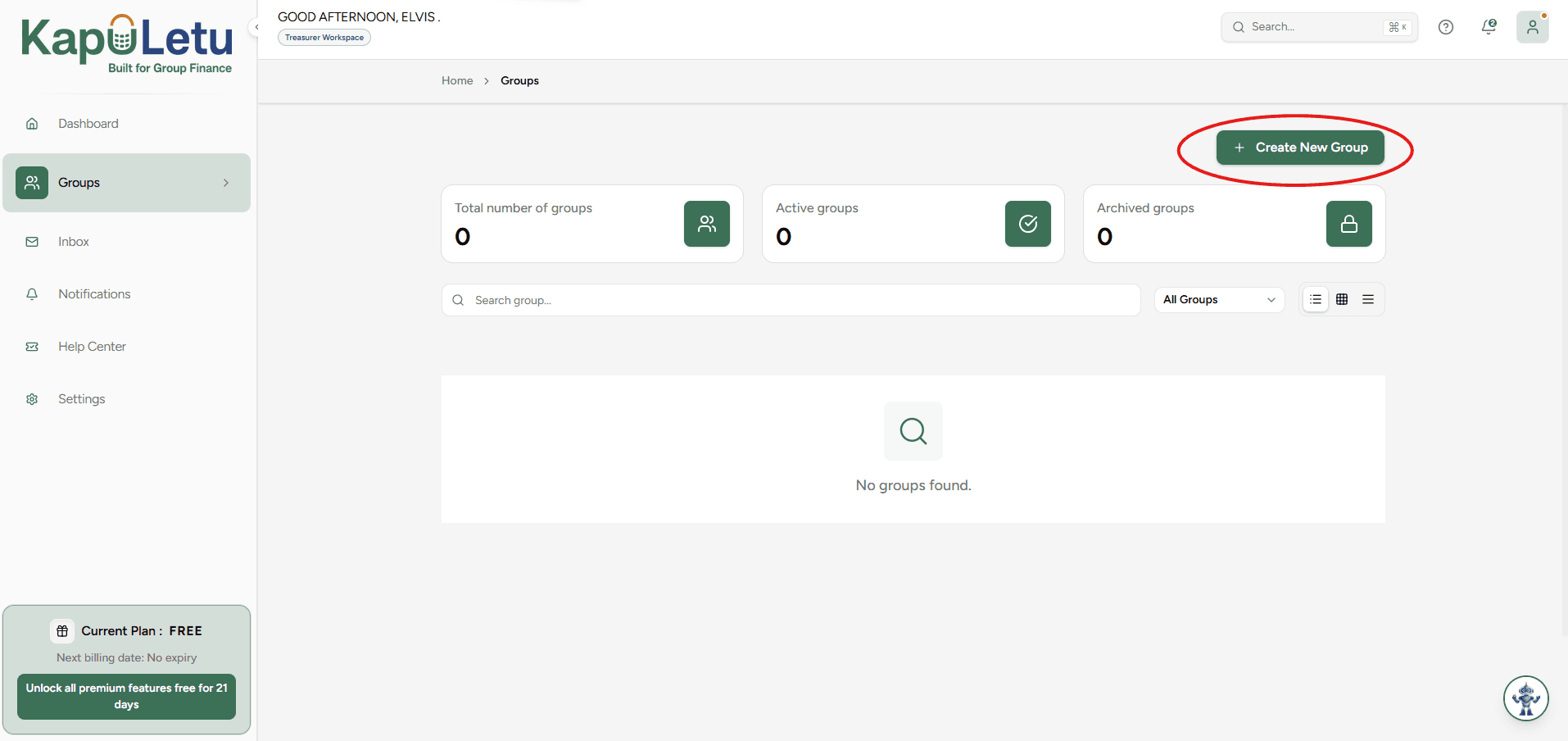
Click 'New Collection'
Locate and click the 'New Collection' button in the top right corner.
3
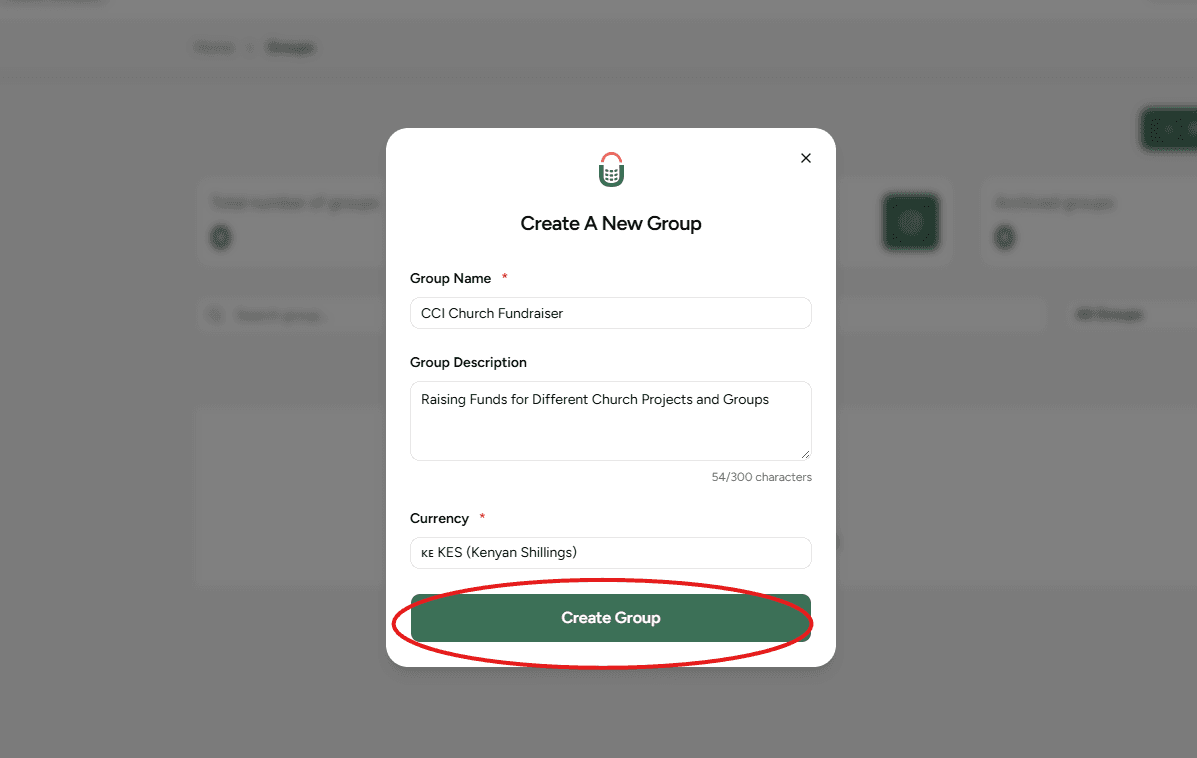
Enter Collection Details
Fill in the basic information including the Collection Name, Description, and Base Currency.
4
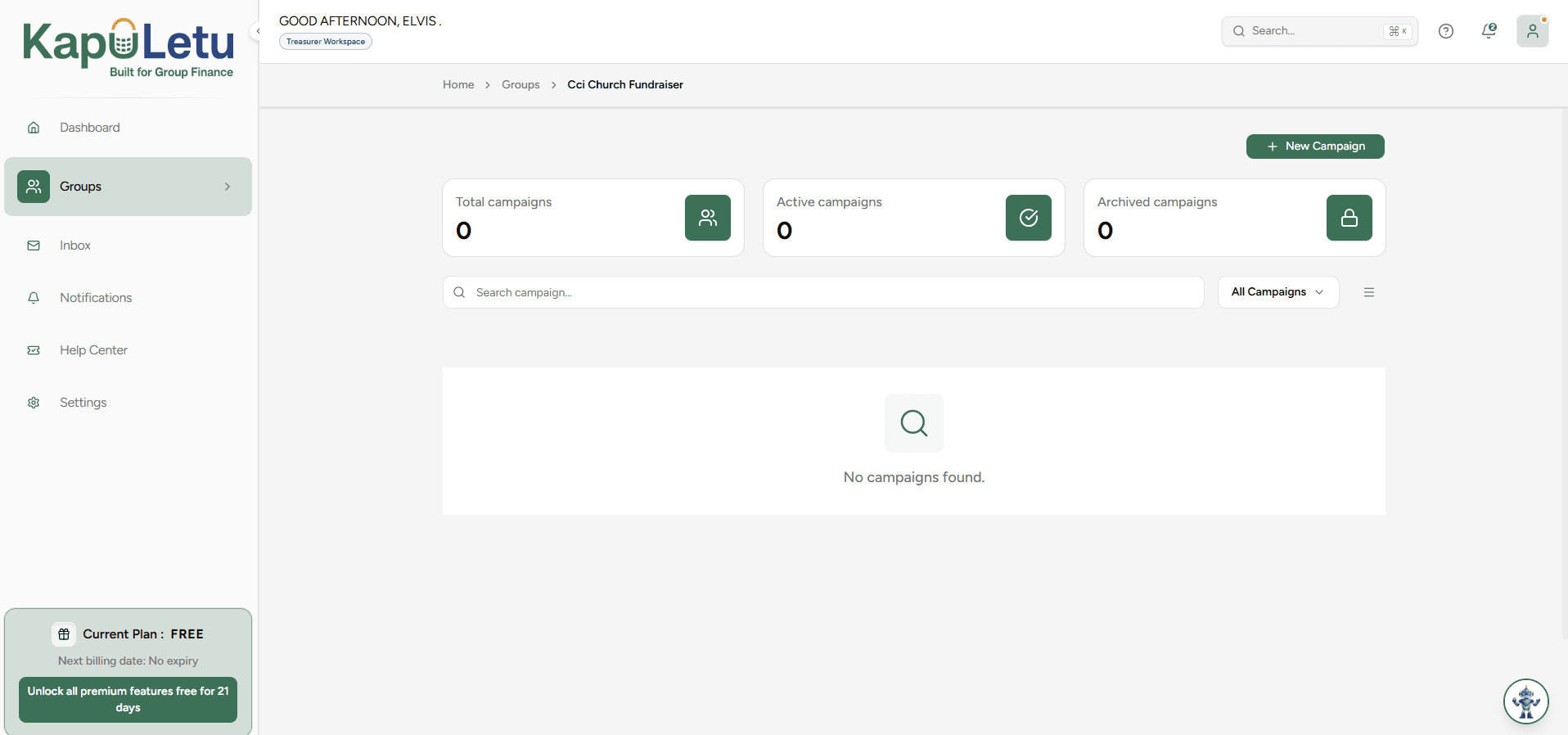
Save and Finalize
Click 'Save' to create the collection. You will automatically be taken to the collection's management window, where you will be managing your groups.
Pro Tip
When you have more than one collection, the Groups page shows a collection filter and the New Group form lets you choose which collection a group goes into.