Setting up a Collection
Configure the initial operational settings for your new collection.
BeginnerTreasurer
Once you've created a collection, it's important to establish its base settings before you begin launching groups. These settings dictate how financial data is processed and displayed.
1
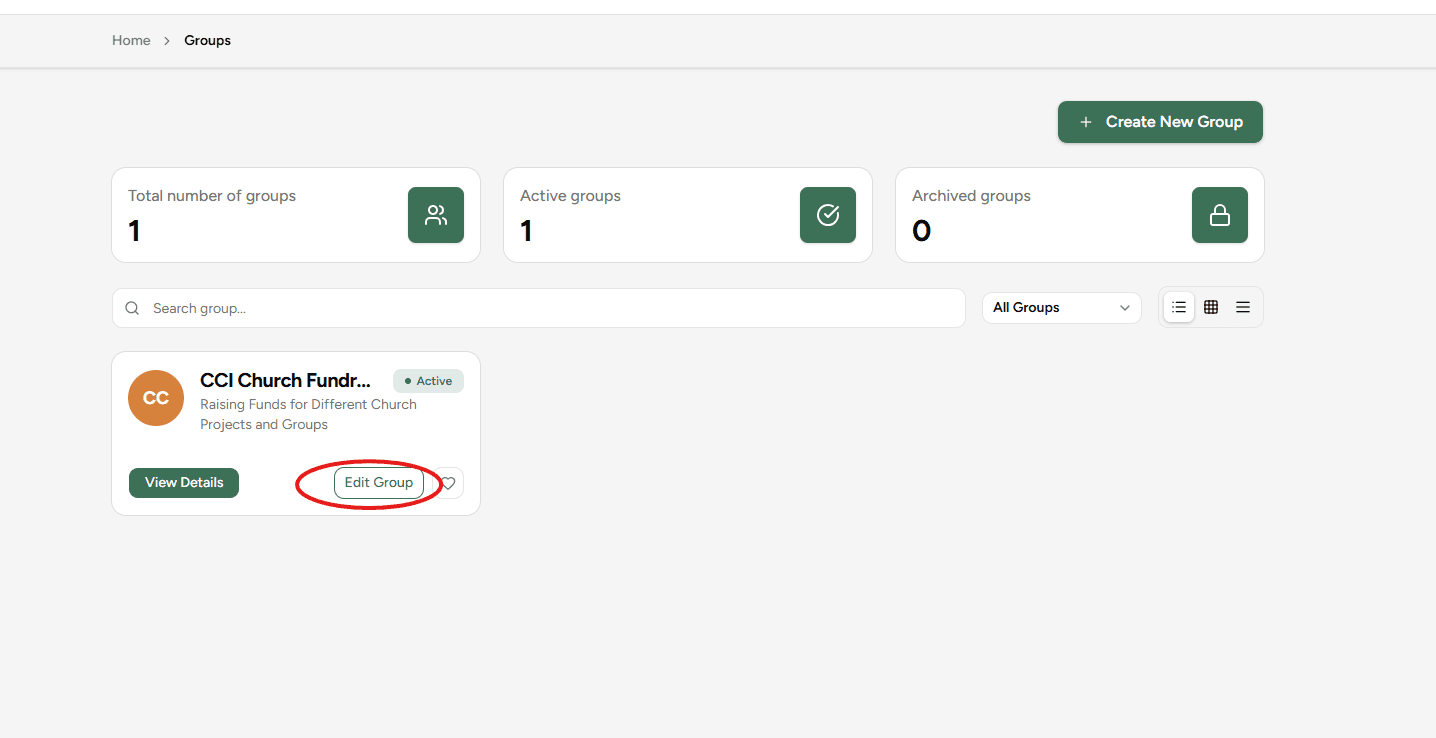
Navigate to Edit Collection
After creating your collection, click on 'Edit Collection' in the collections list to open the setup modal.
2
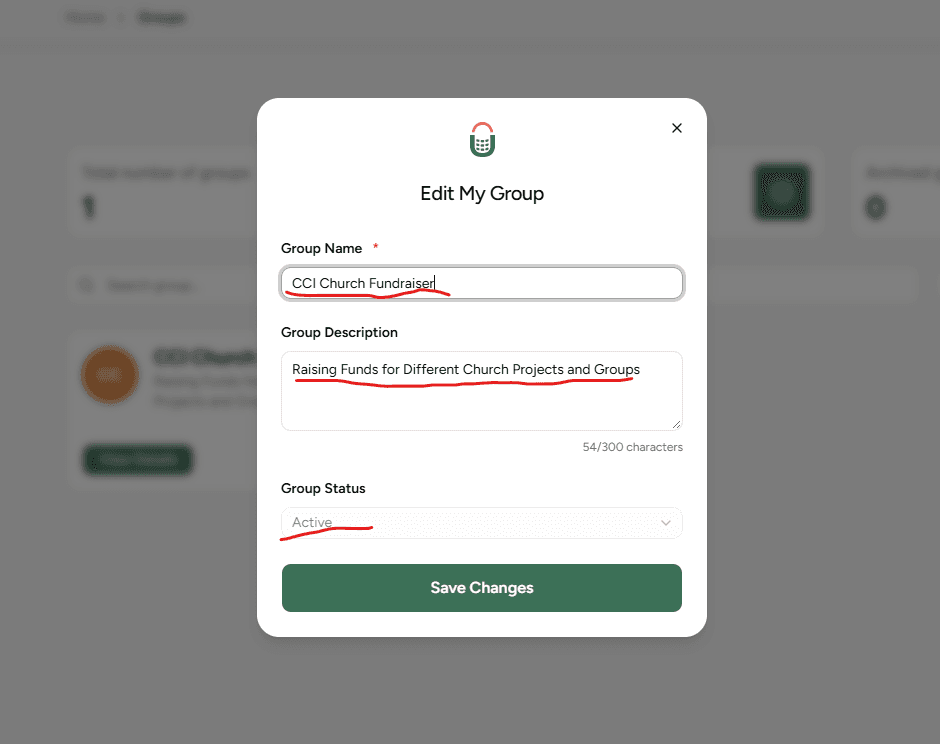
Adjust the Collection's information
Update the collection's name, description and status.
3
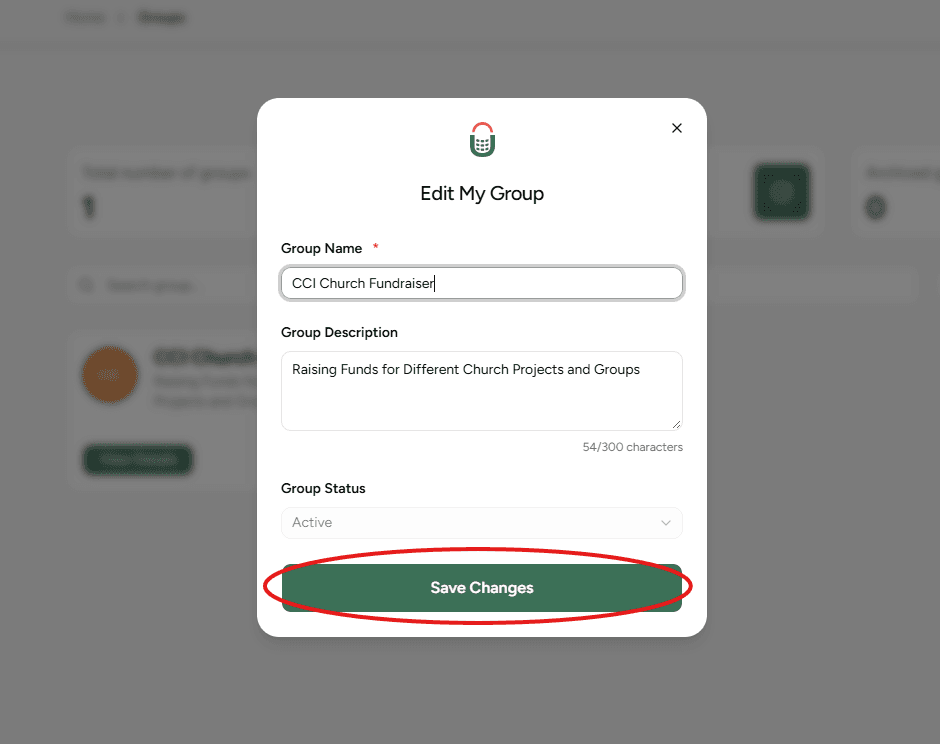
Save Configuration
Click 'Save Changes'. Your collection is now fully configured and ready to host your groups.
Currency Locking
Once you have launched a group and received contributions, the base currency of the collection will be locked to ensure reporting consistency. Make sure it is correct during setup!